How to Stop Unwanted Calls and SMS?

0 comments

Search for Subscribers

Phone Number 

Here’s a guide to stopping those blatant ad messages which you may receive. The service is maintained by the National Do Not Call Registry, a body under TRAI – the Telecom Regulatory Authority of India.
  • First, have a look at whether your number has indeed been registered. Click here. http://ndncregistry.gov.in/ndncregistry/search.misc
  • If not, you can register either by calling or sending SMS with keywords START DND to 1909. Telephone calls/SMS to this number are toll-free across all networks.
  • Once registered, it may take up to 45 days to get it activated.
If even after this, you are getting unsolicited commercial messages, you need to complain with your service provider within 15 days of receiving such a message/call giving details about called number and time. Insist on a reference number for the registration of the complaint. Your service provider is required to take action and inform you back within 28 days if the message has originated from his own network, 35 days if from others’ network. All telecom operators are quite strict about this now, and there has been little complaints on this one.
If your SMS has only a name starting with a 2-digit upper case character instead of a number, look at the table below to find its details.
So, if the message is from “AL-anyname”, it means the message has been sent through Airtel, Kerala.
First Letter
Second Letter
A Bharti Airtel A Andhra Pradesh
B BSNL
B Bihar
C Datacom
D Delhi
D Aircel
E UP-East
E Reliance Telecom G Gujarat
H HFCL
H Haryana
I Idea
I Himachal Pradesh
L BPL
J Jammu & Kashmir
M MTNL
K Kolkata
P Spice
L Kerala
R Reliance Comm. M Mumbai
S STel
N North East
T Tata
O Orissa
U Unitech
P Punjab
V Vodafone
R Rajasthan
W Swan
S Assam
Y Shyam
T TamilNadu


V West Bengal


W UP-West


X Karnataka


Y Madhya Pradesh


Z Maharashtra

India ranked third among most powerful nations

0 comments
India is listed as the third most powerful country in the world after the U.S. and China and the fourth most powerful bloc after the U.S., China and the European Union in a new official U.S. report.

The new global power lineup for 2010 also predicted that New Delhi's clout in the world will further rise by 2025, according to "Global Governance 2025" jointly issued by the National Intelligence Council (NIC) of the US and the European Union's Institute for Security Studies (EUISS).
India ranked third among most powerful nations


Using the insights of a host of experts from Brazil, Russia, India and China, among others, and fictionalised scenarios, the report illustrates what could happen over the next 25 years in terms of global governance.

In 2010, the U.S. tops the list of powerful countries/regions, accounting for nearly 22 percent of the global power.

The U.S. is followed by China with European Union at 16 percent and India at eight percent. India is followed by Japan, Russia and Brazil with less than five percent each.

According to this international futures model, by 2025 the power of the U.S., EU, Japan and Russia will decline while that of China, India and Brazil will increase, even though there will be no change in this listing.

By 2025, the U.S. will still be the most powerful country of the world, but it will have a little over 18 percent of the global power.

The U.S. will be closely followed by China with 16 percent, European Union with 14 percent and India with 10 per cent.

"The growing number of issues on the international agenda, and their complexity, is outpacing the ability of international organizations and national governments to cope," the report warns.

This critical turning point includes issues of climate change, ethnic and regional conflicts, new technology, and the managing of natural resources.

The report also highlights the challenges proponents of effective global governance face.

On one hand, rapid globalization, economic and otherwise, has led to an intertwining of domestic politics and international issues and fueled the need for more cooperation and more effective leadership.

But on the other hand, an increasingly multipolar world, often dominated by non-state actors, have put a snag in progress toward effectual global governance, it said.

Washing machine with junks, runs without power

0 comments
Indian teens make washing machine with junks, runs without power
Sourabh Siyal and Tushar Agarwal, students of Christ College, designed a model which would pester people to take interest in environmental issues. Eco-wash, a washing machine was made out of junk material and ran on mechanical and kinetic energy, without the use of electricity.

"The junk materials include a discarded plastic bottle, which we used as a box to wash clothes. A pulley is attached to the plastic bottle to run the machine. The pulley moves with the help of kinetic energy and helps to wash clothes," explained Agarwal, who wants to be a scientific innovator.


"Our idea is to do away with electricity and come up with an alternative. The washing machine can be useful in big textile industries. We're planning to give our idea to one of India's leading garment manufacturing units," said Siyal, who too wanted to pursue research works in the field of science.

In another such example of innovation, four students of Outreach school, under the guidance of their Physics teacher developed an 'Earthquake predictor'. "The earthquake predictor is nothing but a borewell. The borewell is attached to a buzzer. The buzzer makes sound if the underground water level increases, which means that the movement of lava in the underground is moving at a faster rate, an indication of the likelihood of an earthquake. The fast movement of lava will force the water level to increase, which in turn will make the buzzer give out signals," said Subramanian K, a student.

Useful Frameworks To Develop HTML-Based Webapps for Touch Devices

0 comments
Apple iPhone 4 and iPad
Make HTML-based touch applications. Easy.
In the last two years the rapid growth and diffusion of touch devices such as iOS or Android based platforms has forced developers and web designers to rethink the model of their own webapps for the new “touch experience” introduced by the iPhone in 2007.
During this period several frameworks have been released to help web developers implement quickly applications for this kind of touch devices. Here is a collection of some useful frameworks to develop easily HTML-based webapps that will work on all popular smartphone and tablet touch platforms.
Titanium – Appcelerator Titanium is a free and open source framework to develop easily native mobile and desktop apps with web technologies. It provides developers with over 100 customizable UI controls for native tables, views, tabs, alerts, dialogs, buttons, support for geolocation, social networks and multimedia.
Sencha Touch – Sencha Touch is a HTML5 mobile app framework that allows you to develop web apps that look and feel native on Apple iOS and Google Android touchscreen devices. It supports HTML5, CSS3, and Javascript for the highest level of power, flexibility, and optimization in developing your web applications.
Sproutcore Touch – Sproutcore Touch is the touch edition of the Sproutcore framework for developing HTML 5 web applications that includes complete support for touch events and hardware acceleration on the iPad and iPhone.
PhoneGap – PhoneGap is another interesting open source framework for building cross-platform mobile apps with web standars (HTML5, CSS3, JavaScript). This framework supports geolocation, vibration, accelerometer, camera, orientation change, magnetometer and other interesting features for iPhone, Android, Blackberry, Symbian and Palm.
Rhodes – Rhodes is another excellent open source framework to rapidly build native apps for all major smartphone operating systems (iOS, Windows Mobile, Symbian and Android). It supports GPS geolocation, PIM contact reading and writing, and camera image capture.
iUI – iUI is a framework consisting of a JavaScript library, CSS, and images for developing advanced mobile webapps for iPhone and comparable/compatible devices.
iWebkit – iWebkit 5 is the new version of the popular ultralight framework for easily creating iPhone and iPod touch applications. The current release has new improved features and is really easy to understand in order to develop in just a few minutes your own web apps.
XUI – XUI is another javascript framework for building simple web applications for mobile devices. No much documentation available but it worth to try it for not complex apps.
jQPad – jQPad is an iPad web development framework jQuery based with some features for quickly developing simple iPad applications.
jQuery Mobile – Closing I want to suggest you jQuery Mobile, the touch-optimized version of the popular jQuery framework for smartphones and tablets which will allow you to design a single highly branded and customized web application that will work on all popular smartphone and tablet platforms. The framework will support iOs, Android, Windows Phone, BlackBerry, Symbian, Palm webOS and other devices. The framework is under development and will be available in late 2010.
http://www.zkoss.org/product/zkmobile.dsp
http://techcrunch.com/2010/08/24/motorola-snaps-up-280-north-for-20-million/
Relevant websites:
280North – http://www.280North.com
Cappuccino – http://cappuccino.org/

jQTouch — jQuery plugin for mobile web development

A jQuery plugin for mobile web development, optimized for the iPhone and iPod touch.
www.jqtouch.com/

Free Online Typography Tools

0 comments
1. WhatTheFont - Identify a Font From a Picture
This is a very  professional site, excellent if you want to identify a font. It is an easy as 1,2,3: you just upload a picture of your font and WhatTheFont will give you the exact match and/or some approximate matches from the database! From there you can buy the font or download it for free (if it is free of course).
WhatTheFont - Identify a Font From a Picture
2. IdentiFont - Identify a Font From Some Clues
But what if your picture of the font is too distorted and the previous tool doesn’t work? Don’t worry, there is a solution: Identifont. There you should go to “Fonts by Appearance” and answer some questions describing the font you’re looking for. You are sure to find a satisfying example in the database! If this is for a logo or something similar and you don’t get the exact font you can download the best similar font and edit it in Illustrator letter by letter or you can try TypeNav and see if you have more luck with it.
identifontcom
3. Online Font Converter
Another very useful site is OnlineFontConverter.com, where you can upload a font and convert it in whatever format you want: .otf .ttf and so on. In addition, with this tool you can extract a font from a .pdf file, if the file has the font embedded! As a bonus, if you make yourself an account you get a history of every font you have converted.
Online Font Converter
4. sIFR Generator
With this tool you can create sIFR flash files automatically. With just a few clicks you can customize and create the files needed for your site: a .swf file, a javascript and a html snippet and you will have selectable text with any font you like within your site.
sIFR Generator
5. Text Fixer - Text and Html Tools
Another great site is Textfixer.com. Here you have a series of useful text tools such as capitalizing the first letter of sentences or removing whitespaces or removing line breaks and so on. You have also some nice html tools for converting badly formatted word text to clean html, CSV text to html tables or for compressing/uncompressing html code.   

Text Fixer - Text and Html Tools
6. BitFontMaker for Small Pixel Fonts
With this BotFontMaker you can make some nice small pixel font (10 px high). You can then save it or send it to your friends. BitFontMaker is 100% compatible with any modern browser on any operating system. The framework is made in Javascript so you can use it on a device with no flash enabled as well.
BitFontMaker for Small Pixel Fonts
7. Wordle - Text Cloud Generator
If you want to make yourself a cool text cloud and you don’t have the time to type every word in your favorite graphic application you can use Wordle. With just a few mouse clicks you can make something similar with what you see here by inserting the same text or by pointing Wordle to your Blog RSS. You can then print the text cloud on paper or if you have a Acrobat Professional installed you can print it directly into a PDF file that you can edit with Illustrator or Corel Draw if you are not satisfied.
Wordle - Text Cloud Generator
8. STC FontBrowser - Browse Your Own Fonts
This tool is the equivalent of Bitstream Font Navigator, Font Manager or other applications. The only difference is the fact that it is online and, perhaps, that is free. It is not so customizable, you can’t see the detailed character map but it is the best choice for you when you want to show the clients what fonts they have (or not have) installed on their computers.
STC FontBrowser - Browse Your Own Fonts
9. CSS Grid Caclulator
This tool is a CSS generator. You can create columns, rows, you can set the gutter the width, the font, make custom-size divisions etc. quickly and effortless. The CSS code will be generated in a separate window in real time, so you can copy it and use it anytime.
CSS Grid Caclulator
10. Font Struct - Online Font Maker
Font Struct is a site where you can build your own font using a grid system. Basically, you can use simple geometrical shapes that you put together. It all depends on your own creativity! The results can be amazing! You can then use your font, if you are satisfied with it, as the site offers you true type file once you have finalized your project. It’s a great way to build your own font in a very short time.
Font Struct - Online Font Maker
11. Horus - Online Font Editor
If Font Struct is not enough for you, you can modify your font with Horus, online font editor. With this tool you can edit fonts: just open it and go to the desired letter or number from the glyf section. Unlike FontStruct, you can edit any point of your vector and thus you have full creative freedom.
Horus - Online Font Editor
12. TypeTester
Another interesting tool is Typetester, which is useful for comparing screen types. Here you can choose several fonts if you can’t decide which one to choose and you can vary the size of the letter, leading, tracking etc. and compare the results at the same time. When you have reached a conclusion, just indicate which column you prefer and you will get the CSS code.
TypeTester
13. Text Ascii Art Generator
With the tool on this site you can easily create ASCII Art files. Just type your letters or text and choose some symbol patterns that you want to use. You can quickly switch from one pattern to another and see how your text looks. In this way it will be easier to make a decision.
Text Ascii Art Generator
14. Pixel to Em Converter
PXtoEM is a tool that allows you convert pixels in/from Ems. Ems are a relative measurement unit. One ‘Em’(1em) is equal to the height of the capital letter “M” in the default font size. This is often used in CSS sites where you want to allow the user change the font size at will.
Pixel to Em Converter
15. CSS Gradient - Gradient Text Generator
This is a tool that generates selectable text that has gradient, with no Flash required or JavaScript. It uses a simple CSS trick that puts a semi-transparent PNG file over the desired text.
CSS Gradient - Gradient Text Generator
16. UpsideDownLetters
This site is a tool to turn the text upside down. This is a very non-conventional tool but you could use it if you have in mind a creative text-arrangement on your site. Unfortunately this tool is useless for rotating the text 90 degrees. For that there are multiple different methods depending on the browser.
UpsideDownLetters
17. Free OCR
Free OCR is a site where you can upload scanned document and convert it into text. It’s free and it works perfectly if the text is readable enough.
Free OCR
Hopefully, you will find these tools useful and they will help you in the creative process. They can surely allow you to save time and, most of all, they are all free to use online so go ahead and try them out! Do you use the above tools or other tools? Share your thought in the comment below.

Picasa photos edit with Picnik.

0 comments

Google welcomes Picnik

More than ever before, people are sharing and storing their photos online. But until recently, you had to edit your photos using client software on your computer. Today, we're excited to announce that Google has acquired Picnik, one of the first sites to bring photo editing to the cloud. Using Picnik, you can crop, do touch-ups and add cool effects to your photos, all without leaving your web browser.


We're not announcing any significant changes to Picnik today, though we'll be working hard on integration and new features. As well, we'd like to continue supporting all existing Picnik partners so that users will continue to be able to add their photos from other photo sharing sites, make edits in the cloud and then save and share to all relevant networks.

We're very impressed with the Picnik team and the product they've created, and we're excited to welcome them to Google. We're looking forward to collaborating closely with them to improve the online photo editing experience on the web. In the meantime, we encourage you to head to Picnik, import some of your photos from Picasa Web Albums, Flickr or Facebook and try your hand at photo editing in the cloud!
Permalink

Gmail Priority Inbox

0 comments

Get through your email faster

Email is great, except when there’s too much of it. Priority Inbox automatically identifies your important email and separates it out from everything else, so you can focus on what really matters.

Automatic sorting

Gmail uses a variety of signals to identify important email, including which messages you open and which you reply to.

Sections keep you organized

Incoming email gets separated into sections: important and unread, starred, and everything else. Don’t like these? Customize them.

Predictions improve over time

Over time, Priority Inbox gets better at predicting what’s important to you. You can help train it using the Gmail priority inbox buttons buttons.
Learn more about Priority Inbox

free stock photos online for designers

0 comments

free stock photo sites

1. stock.xchng

stock.xchng
stock.xchng is all free, all the time. Their advanced search is only basic by paid site standards, but hey, did I mention that the service is free? They have over 350,000 images contributed by 30,000 photographers. The one downside to getting photos from stock.xchng is that they’re quite well known, so designers may find that the smaller subset of quality images on site are quite heavily used in many other places, making it difficult to be original. Stock.xchng is a Hungarian site and was founded in 2001.
one of the most popular paid stock photo sites – iStockphoto, sponsors them. There’s a good selection of illustrations and vectors for free on stock.xchng, which you just don’t get with the big free sites.
Aimed at: Web designers and web developers, illustrators, print designers

2. Freerange Stock

Morguefile
Their admirable goal is to provide stock photography for both commercial and non-commercial use, for free. They give away their collections with the hope that they are useful and enjoyed.
A small team of in-house professional photographers supplies the photos in the site. After each upload, the color and image is sharpened and they are keyword-tagged by professional photographers. This is a great place to get high impact and good looking pictures, but the focus is on quality, not quantity so the collection isn’t as big as other sites.
Aimed at: all creatives, most pictures are reasonable resolution

3. Morguefile

Morguefile
Morguefile is for creatives, by creatives. It started in 1996 and is highly recommended by many web design and development professionals. Morguefile currently contains 9,148 pages at 24 photos each page, and the photos are very good resolution. It’s called "morguefile" in reference to the term used for a place to keep postproduction creative materials.
The photos are mostly great quality, and you can filter your results by several characteristics, which is handy. Keyword tagging is relatively basic, with between five and fifteen tags per photo, so use a few terms to search. If you use a photo from Morguefile, you’re asked to credit the photographer when possible. The site can be a bit slow to load sometimes.
Aimed at: Illustrators, artists, designers, teachers and all other creative pursuits, according to the home page

4. Pixel Perfect Digital

Pixel Perfect Digital
The name is certainly not misplaced as the pictures on the site are quite polished, especially the illustrations. There are around 7,500 images on site currently.
The photos, although quite small in number, look good and have been post processed by professionals. Each photo has an accompanying short story, which can be quite handy, and certainly endearing! You can either browse categories or use the very basic search facility.
Aimed at: Both web design and print designers (photo resolution is usually excellent)

5. Free Media Goo

Free Media Goo
Free Media Goo has a memorable name for a not-so-memorable site; it certainly has some good features, but is more a niche search engine. The site was created by web developers for web developers, hence the presence of free Flash and audio as well as stock photos.
Alongside free stock photos, the site also has free textures, audio and Flash movies. Unfortunately, the collection is tiny and many photos are a bit amateurish.
Aimed at: Web designers and web developers, illustrators, print designers
6. openphoto.net

openphoto.net
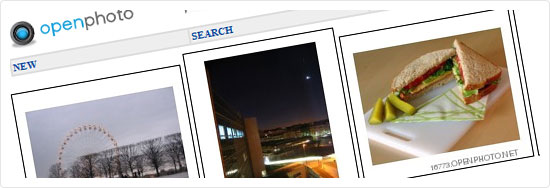
openphoto.net has been collecting free photos since 1998, with contributors from all over the world. Many people use it is a photoblog site, so you might find many Flickr-style personal shots.
Search is extremely simple (keyword only), but you do have the option to browse categories to find images (which is probably the easiest way). Keyword tagging is very basic on the site and in many cases, a photo has only one tag. Unless your search is quite literal, you are better off browsing the categories of openphoto.net. Almost all photos have a Creative Commons Attribution-Share Alike license.
Aimed at: Web designers and developers – images are often too low resolution for many print jobs.

7. Flickr

Morguefile
Flickr is one of the largest online photo sharing sites on the web. There’s an enormous mix of complete amateur pictures and professional photographer images. The admin team at Flickr numbers almost 50, and the site was recently purchased by Yahoo! so a great group of folks manages it.
Use the Advanced Search and check the ‘Creative Commons licensed’ box to find pictures that can be used in your web design and development. The site has excellent tagging so it’s quite easy to find images under the subject that you’re interested.
Aimed at: web design and development professionals because most of the photos featured on the site have too low of a resolution for print design work
8. Stockvault

Stockvault
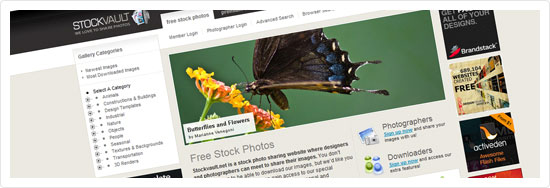
A reasonable sized collection of quite good photos is available at Stockvault. They have just over 16,000 stock photos from 4,000 photographers. All images are licensed under a Creative Commons attribution license. The site began as the personal site of Bjorgvin Gudmundsson in 2001.
Keyword tagging is quite basic, so explore the site with both the search option and the categories. The resolution is what most ordinary stock photo sites would call "small to medium". You can download pictures, logo templates, clip art, textures and backgrounds without signing up on the site. Stockvault has a nicer and friendlier user interface than many stock photo sites.
Aimed at: mostly web designers

9. NASA

NASA
Yes, this image site is ‘the’ NASA. All photos are space themed, but the collection is large and the photos are very professional.
Keyword tagging is good and the resolution is invariably 640px x 480px, so they’re not ideal for print design. Many of the shots are better as textures/repeating background than actual pictures. The size of the collection is substantially increased by checking the external collections.
Aimed at: People interested in space exploration, but useful for web designers looking for textures or space themed shots
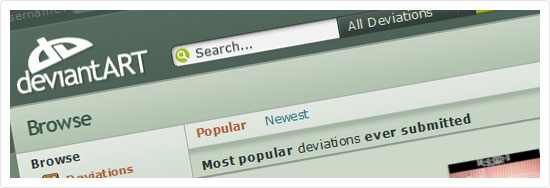
10. deviantART’s Stock Images section

deviantART's Photography Section
deviantART is a popular website for digital and traditional media artists to showcase their work. They have a great stock photography section on site. deviantART is a big site, with a big team and big ideas. The site is full of personality, as the name suggests.
The images are gorgeous, image resolution is enormous, you can download without registering anywhere, oh, and did I mention that the images are gorgeous?
Aimed at: Artists, print designers, and web designers.

Free stock photo search engine

11. Everystockphoto

Everystockphoto
It was only a matter of time before someone found a way to aggregate free stock photo results and monetize the concept somehow, and that’s what Everystockphoto does. There are a huge number of pictures indexed on this site, numbering in the millions. For example, there’s over 67,000 results for the search term "clouds".
You can search free stock photos from Morguefile, Freerange Stock, Photoxpress, Flickr, stock.xchn, NASA, Wikimedia Commons and more, in a single site. They have good sorting and filtering options to help you find the perfect photo, but not heaps of search options, though. You may be able to search all the different sites here, but you still have to sign up for accounts on the site that hosts the image.
Aimed at: Web designers and web developers, illustrators, print designers
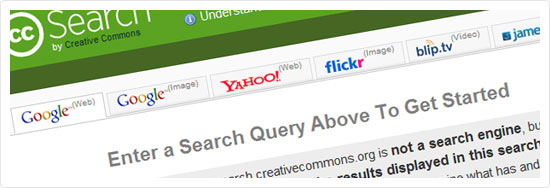
12. Creative Commons Search

Creative Commons Search
The Creative Commons Search finds images through Google and Yahoo, Flickr, Blip.tv, jamendo SpinExpress and Wikimedia Commons. Probably the largest collection of free images in one place but beware, some search results may not be Creative Commons so do your homework before using a photo.
You can search for a single term across quite a few different media quickly. You can refine your results by commercial use and modification allowances. You have access to each site’s own search features instantly, but have to log in to download the image in some cases.
Aimed at: Web designers and web developers, illustrators, print designers

Free areas in paid sites
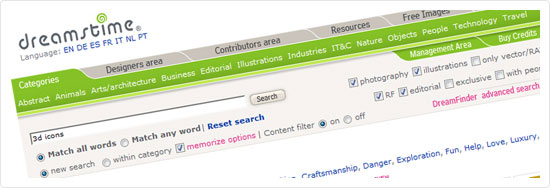
13. Dreamstime’s Free Section

Dreamstime's Free Section
Dreamstime has one of the largest libraries of stock photos on the net. At the time of writing, they have just under 7 million images, and just under 80,000 contributing photographers. In order to stand out among the huge crowd, Dreamstime photographers often put their photos in the free section of the site. A search for house, for example, yields 26 pages of 20 results each. The site has been online since 2000.
Most free photos require no attribution to the photographer in your design. Photos at Dreamstime remain on the site indefinitely. Unfortunately, you can only search photos by keyword; there are no advanced search filters like orientation, color or model options, etc.
Aimed at: Web and print designers
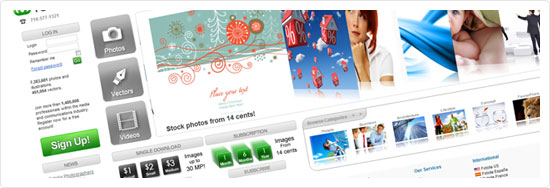
14. Fotolia’s Free Section

Dreamstime's Free Section
Fotolia is one of the oldest stock photo sites on the net. Their free section is quite good, but changes every day and the free photos that were there yesterday, may not be there the next. Fotolia has an office in France and their global headquarters in New York.
They offer ten to twenty free photos every day. If you have the time to download and tag all of them every day, you could build quite a library of photos. You won’t find isolated shots, and photos are frequently just a tiny bit lower quality than you’d pay for.
Aimed at: Fotolia in general has photos, illustrations, vectors and videos for download for many digital media professions
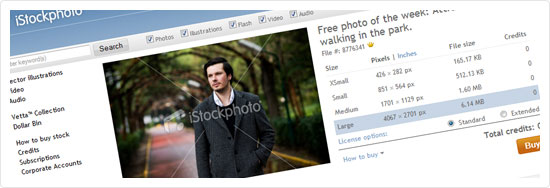
15. iStockphoto’s Free Images

iStockphoto's Free Images
iStockphoto is one of the most popular stock photo sites on the net, with excellent quality photos that are often Photoshop’ed to within an inch of their lives already (which is either a good or bad thing). iStockphoto has a responsive helpdesk and a comprehensive FAQ.
They only offer one free image a week, but it is always high quality. Free images from the last three weeks are kept available for download. Similar to Fotolia, you’ll have to make it a habit to download and tag these photos yourself so you can search them on your own computer.

Champions League Twenty20 fixtures

0 comments
The second edition of Champions League twenty20 will be hosted by South Africa. The 2010 Champions League Twenty20 will see two groups of five teams each competing in a round-robin format, with the top two sides from each group going through to the semi finals.
Despite the changes in the format the tournament will feature the same number of games 23 as it was in 2009 twenty20 Champions League. The IPL 2010 runners-up Mumbai Indians will open the event on September 10th against the South African side Lions at the Wanderers in Johannesburg, which will also host the final of CL twenty20 on September 26th 2010.
Mumbai Indians, Lions, Royal Challengers Bangalore, South Australia and a team from West Indies are put into Group B, while the 2010 IPL champions Chennai Super Kings, Victoria, Warriors, Wayamba and Central Districts.
Many players will have dilemma to select which team to play for as there are many players whose more than one team will take part in the tournament.
Here are the detailed Group Stage for Champions League 2010:
Group Stage
Group A: Chennai Super Kings, Victoria, Warriors, Wayamba and Central Districts
Group B: Mumbai Indians, Royal Challengers Bangalore, South Australia, Lions and one team from West Indies
Here are the complete CL T20 2010 Fixtures (All timings are mentioned in GMT+05:30)

Timing
Teams
Venue
Results
Fri 10 Sep (D/N)
21:00 PM
1st Match, Group B - Mumbai Indians v Lions
New Wanderers Stadium, Johannesburg

Sat 11 Sep
17:00 PM
2nd Match, Group A - Warriors v Wayamba
St George's Park, Port Elizabeth

Sat 11 Sep (D/N)
21:00 PM
3rd Match, Group A - Central Districts v Chennai Super Kings
Kingsmead, Durban

Sun 12 Sep
17:00 PM
4th Match, Group B - Lions v South Australia
SuperSport Park, Centurion

Sun 12 Sep (D/N)
21:00 PM
5th Match, Group B - Royal Challengers Bangalore v TBC
SuperSport Park, Centurion

Mon 13 Sep (D/N)
21:00 PM
6th Match, Group A - Victoria v Warriors
St George's Park, Port Elizabeth

Tue 14 Sep (D/N)
21:00 PM
7th Match, Group A - Mumbai Indians v South Australia
Kingsmead, Durban

Wed 15 Sep
17:00 PM
8th Match, Group A - Central Districts v Victoria
SuperSport Park, Centurion

Wed 15 Sep (D/N)
21:00 PM
9th Match, Group A - Chennai Super Kings v Wayamba
SuperSport Park, Centurion

Thu 16 Sep (D/N)
21:00 PM
10th Match, Group B - Mumbai Indians v TBC
Kingsmead, Durban

Fri 17 Sep (D/N)
21:00 PM
11th Match, Group B - Royal Challengers Bangalore v South Australia
Kingsmead, Durban

Sat 18 Sep
17:00 PM
12th Match, Group A - Central Districts v Warriors
St George's Park, Port Elizabeth

Sat 18 Sep (D/N)
21:00 PM
13th Match, Group A - Chennai Super Kings v Victoria
St George's Park, Port Elizabeth

Sun 19 Sep
17:00 PM
14th Match, Group B - Lions v TBC
New Wanderers Stadium, Johannesburg

Sun 19 Sep (D/N)
21:00 PM
15th Match, Group B - Mumbai Indians v Royal Challengers Bangalore
Kingsmead, Durban

Mon 20 Sep (D/N)
21:00 PM
16th Match, Group A - Victoria v Wayamba
SuperSport Park, Centurion

Tue 21 Sep
17:00 PM
17th Match, Group B - South Australia v TBC
New Wanderers Stadium, Johannesburg

Tue 21 Sep (D/N)
21:00 PM
18th Match, Group B - Lions v Royal Challengers Bangalore
New Wanderers Stadium, Johannesburg

Wed 22 Sep
17:00 PM
19th Match, Group A - Central Districts v Wayamba
St George's Park, Port Elizabeth

Wed 22 Sep (D/N)
21:00 PM
20th Match, Group A - Chennai Super Kings v Warriors
St George's Park, Port Elizabeth

Fri 24 Sep (D/N)
21:00 PM
1st semi-final - TBC v TBC
Kingsmead, Durban

Sat 25 Sep (D/N)
21:00 PM
2nd semi-final - TBC v TBC
SuperSport Park, Centurion

Sun 26 Sep (D/N)
21:00 PM
Final - TBC v TBC
New Wanderers Stadium, Johannesburg

Call phones from Gmail

0 comments
Gmail voice and video chat makes it easy to stay in touch with friends and family using your computer’s microphone and speakers. But until now, this required both people to be at their computers, signed into Gmail at the same time. Given that most of us don’t spend all day in front of our computers, we thought, “wouldn’t it be nice if you could call people directly on their phones?”

Starting today, you can call any phone right from Gmail.


Calls to the U.S. and Canada will be free for at least the rest of the year and calls to other countries will be billed at our very low rates. We worked hard to make these rates really cheap (see comparison table) with calls to the U.K., France, Germany, China, Japan—and many more countries—for as little as $0.02 per minute.

Dialing a phone number works just like a normal phone. Just click “Call phone” at the top of your chat list and dial a number or enter a contact’s name.


We’ve been testing this feature internally and have found it to be useful in a lot of situations, ranging from making a quick call to a restaurant, to placing a call when you’re in an area with bad reception.

If you have a Google Voice phone number, calls made from Gmail will display this number as the outbound caller ID. And if you decide to, you can receive calls made to this number right inside Gmail (see instructions).

We’re rolling out this feature to U.S. based Gmail users over the next few days, so you’ll be ready to get started once “Call Phones” shows up in your chat list (you will need to install the voice and video plug-in if you haven’t already). If you’re not a U.S. based user—or if you’re using Google Apps for your school or business—then you won’t see it quite yet. We’re working on making this available more broadly—so stay tuned!

For more information, visit gmail.com/call.

Google Plans Adorable, Green, and (Most Importantly) Free Google Voice Phone Booths


When Google announced the previously rumored phone call feature for Google Voice inside Gmail, we all got excited for a Skype-challenging VoIP service that's already embedded in our email. But the most charming element of the announcement was yet to come.
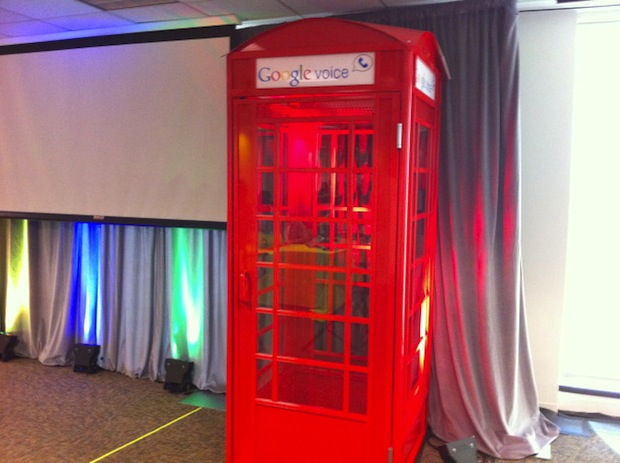
Instead of a boring old ad campaign of TV commercials, YouTube videos, billboards, and what have you, Google decided to do something a little bit more fun. The company is constructing several old-style British phone booths that will be using the new Google Voice feature--all for free. The phone booths, modeled on a 1957 vintage example, will be installed in high-traffic areas, like college campuses.
The Google Voice phone booths seem to be completely free--there's no way to contribute money, for one thing--so I suspect the calls will be limited to the States and Canada. There'll also be a 20-minute limit on phone calls to discourage unscrupulous youngsters from yapping away on the phone for hours like they do in old-timey sitcoms from the '90s.
Even better, at least part of the booth is solar-powered. There's a big light inside the otherwise-spartan booth which is powered by a solar panel on the outside. It's not clear if the phone itself is powered by solar energy or not.
Google hasn't released information regarding the specific number of booths or the locations in which they'll be installed. But keep an eye open--you might see a free, adorable phone booth on a college campus near you.